
Opening Event
Opening Events: Digital Invitation and QR Photo Sharing
Two things matter at a shop, restaurant, office or showroom opening: guests arriving at the right address at the right time, and the photos taken on the day not getting lost. You send the opening invitation with a single link; on the day, guests scan the QR code at the entrance and on the tables to upload their photos and videos to one gallery without installing an app.
Prepared by: UQR Event Team Last updated:
What should an opening invitation include?
Opening invitations usually go to business partners, neighbouring businesses, customers and the press, many of whom are visiting the venue for the first time. The invitation therefore needs to be very clear about the address and how to get there:
- Business name, opening date and time
- Full address with one-tap directions on a map
- Parking or the nearest public transport stop
- Programme: times for the ribbon cutting, speeches and refreshments
- RSVP, for catering and welcome planning
- An add-to-calendar link so the date isn't forgotten
All of this sits on one page in the digital invitation, and if the time or programme changes, you update the same link. See our e-invitation guide for how it works.
Collecting photos and videos with a QR code on the day
The best shots of an opening often stay on guests' phones. A guest who scans the QR code at the entrance, the refreshment table or the photo corner uploads photos and videos to a shared gallery without installing an app.
- Photos are archived in high resolution, without compression
- Face tagging helps guests find their own photos easily
- Use acrylic QR stands on the tables or your own printed cards
Set-up details are on our QR photo sharing page, and stand and card sizes are in the QR table card guide.
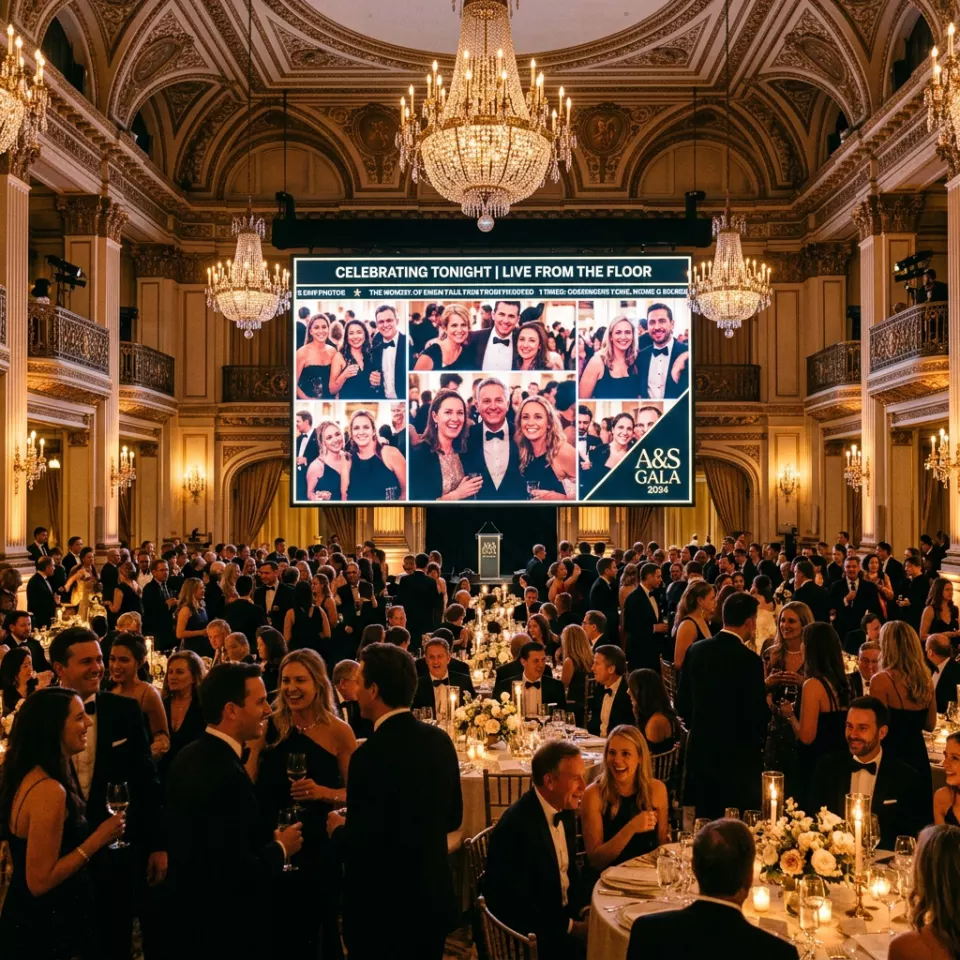
Showing shared photos on a big screen
Photos uploaded by guests can be shown live on a screen or projector throughout the event. At an opening, this encourages guests to share their own shots and creates a lively atmosphere.
You can find our other corporate event solutions on our corporate presentation page (in Turkish).
Using the photos after the opening
When the event is over, all the photos are waiting for you in one archive; choose and download the best ones for your promotion.
Before using photos in which guests are recognisable on your social media or in advertising, we recommend getting explicit consent from the people concerned. This is the safest approach under personal data protection law.
Preparing your opening event step by step
-
Create and send the invitation
Enter the date, time, address and programme, share the link by WhatsApp, SMS or e-mail and follow the RSVPs.
-
Place the QR codes
Put a QR stand at the entrance, the refreshment table and the photo corner so it is visible wherever guests stop and wait.
-
Guide your guests
Make a short announcement during the opening speech, or write a clear call such as "Scan the QR code and share your photo" on the stands.
-
Use the archive
Review the gallery after the event and use the photos you have consent for in your promotion.
Frequently asked questions
Do guests need to install an app?
No. Both the invitation and the photo upload page open in the phone's browser.
Where should I place the QR codes at an opening?
Wherever guests stop and wait: the entrance, the refreshment table, the photo corner and any seating areas. A short line explaining what the code does increases the number of scans.
Can we use guests' photos on our business's social media?
The photos are collected in your own archive. Before using photos with recognisable people in your promotion, we recommend getting explicit consent from them.
How long are the photos stored?
Cloud storage time depends on your package; see the packages page for details.